





PeptiCore guide
How to Read a Peptide COA: Purity, Batch and Analytical Data
Published by PeptiCore on 11 Jul 2026 · Last reviewed 13 Sept 2026
Quick answer
First match the product, specification, batch reference and document date. Then read each result with its stated method: HPLC and mass-spectrum records answer different questions. Keep the exact SKU with the document when preparing an inquiry.
Documentation
A record you can review
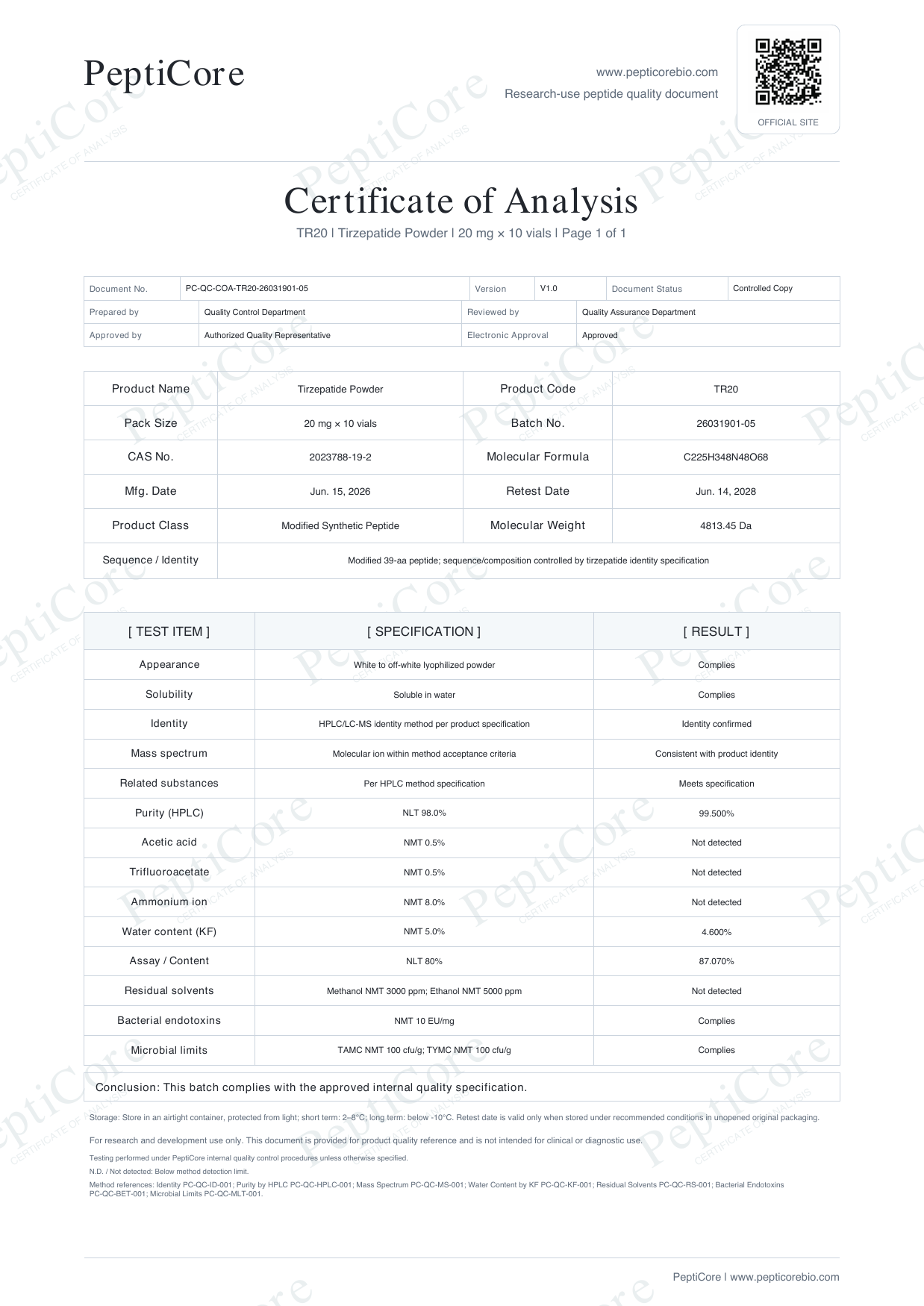
Tirzepatide · TR20 · 20 mg per vial · 10 vials per catalog pack
Open the existing catalog document to review its identifiers and stated results. This is a PeptiCore document example, not independent supplier certification or a promise about a future shipment.
Start with record identity
Check the product name, SKU or specification, batch identifier, document date, and any reference number. These fields establish which catalog record the document describes. A matching product name alone is not enough when several sizes exist.
Read the result with its method
A reported purity value should be read together with the method named on the document. HPLC commonly describes chromatographic purity, while mass-spectrum data supports molecular-identity review. The two records answer different analytical questions.
Check document scope
Note whether the document is a preview, a batch-level record, or a general specification reference. Confirm that units, expected mass, and the listed format are legible before using the document in an internal review.
Common interpretation errors
Do not treat every percentage as the same measurement or mix documents from different SKUs. A series image does not identify a batch. Confirm that the product, specification, batch reference, method, result and document date belong to the same record.
Frequently asked questions
What should I check first on a peptide COA?
Begin with product identity, SKU or specification, batch reference, and document date.
Does an HPLC result confirm molecular identity?
HPLC and mass-spectrum records provide different analytical context; review the stated method and result together.
How do I request a listed COA?
Use the product specification table to identify the SKU, then include that SKU in the PeptiCore inquiry.
Related product specifications
Continue reading
Catalog and documentation path
Use the catalog to identify an exact SKU, the Quality page to review documentation access, and the inquiry workflow to keep the selected record visible when requesting a final quote.
Sources and review references
These references explain methods and record-review terminology. They do not certify PeptiCore, validate a product batch, or establish a supplier relationship. Regulatory references describe their own application scope; linking them does not claim that PeptiCore holds an approval or certification. Documentation review policy.