





COA previews
Available product series show linked COA previews before a WhatsApp inquiry is submitted.
Quality documentation
Find a product or exact SKU to open its mapped COA. Compare the document identifiers, reported methods, and sample scope before asking sales to confirm the record for your inquiry.
A catalog mapping confirms that a file is linked. It does not independently verify a batch, certify the supplier, or guarantee a future shipment.
Available product series show linked COA previews before a WhatsApp inquiry is submitted.
Catalog entries reference purity context where available in the linked analytical documentation.
Batch-level analytical records may include mass spectrum context where the COA package provides it.
Each visible record is tied to a product series, SKU code, and vial format shown in the catalog.
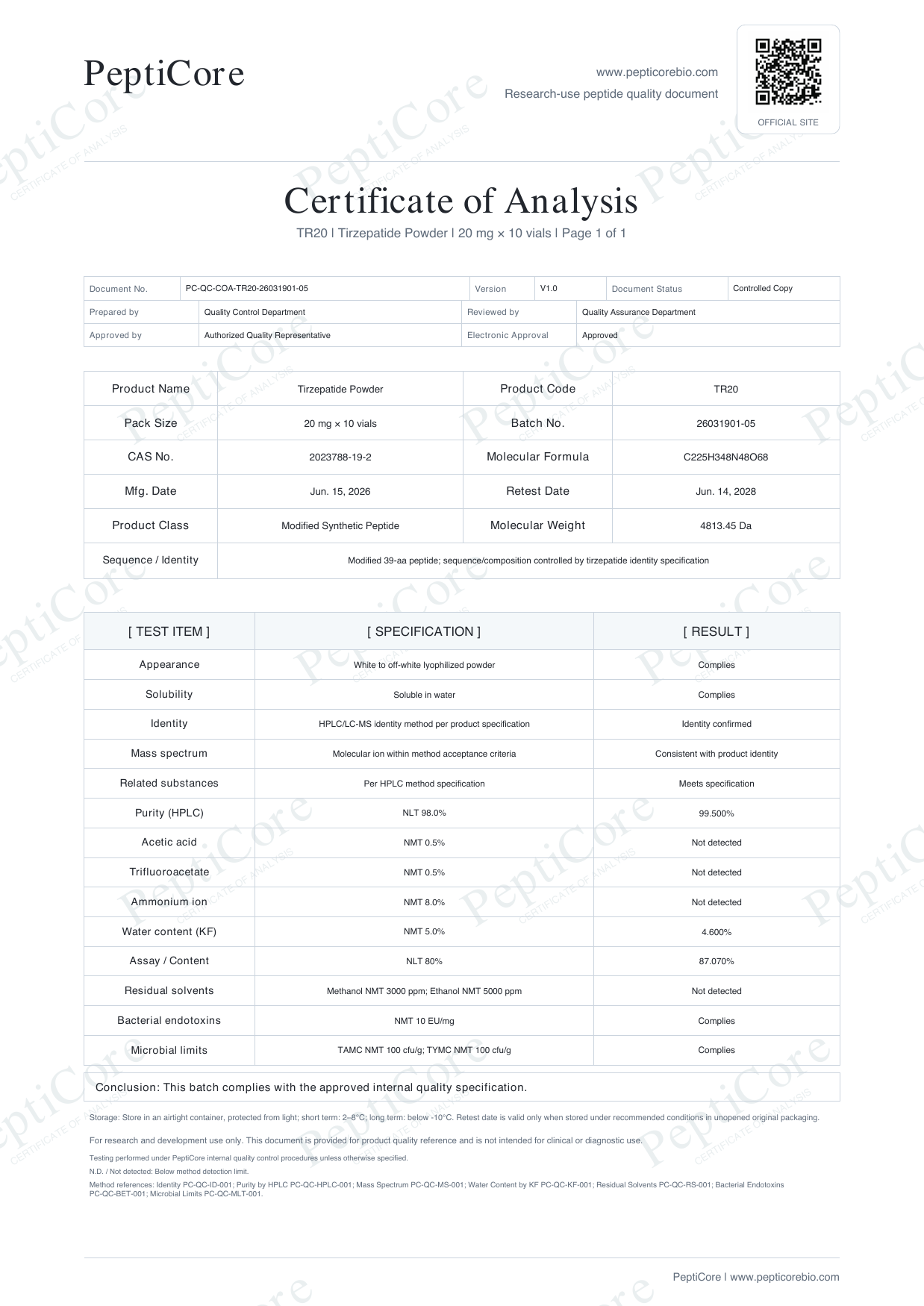
Documentation
Tirzepatide · TR20 · 20 mg per vial · 10 vials per catalog pack
Open the existing catalog document to review its identifiers and stated results. This is a PeptiCore document example, not independent supplier certification or a promise about a future shipment.
PeptiCore presents catalog specifications and available analytical documentation for laboratory research review. Listed information supports product-series and SKU identification before a final quote is confirmed by sales. A linked COA or analytical record must be matched to its exact SKU, specification, and document identifiers; it does not establish a claim beyond the document's stated scope.
The full catalog links each available COA to its product and SKU. Search above for an exact record, or browse all series.